Workflows
Follow-up that runs itself.
Build the texts and emails that move a lead from applied to booked to showed. Triggers, waits and branches, sent from your own numbers and domains, and stopped the moment someone replies.
An application comes in, PYLO waits five minutes, texts, hears back and confirms the call.
The builder
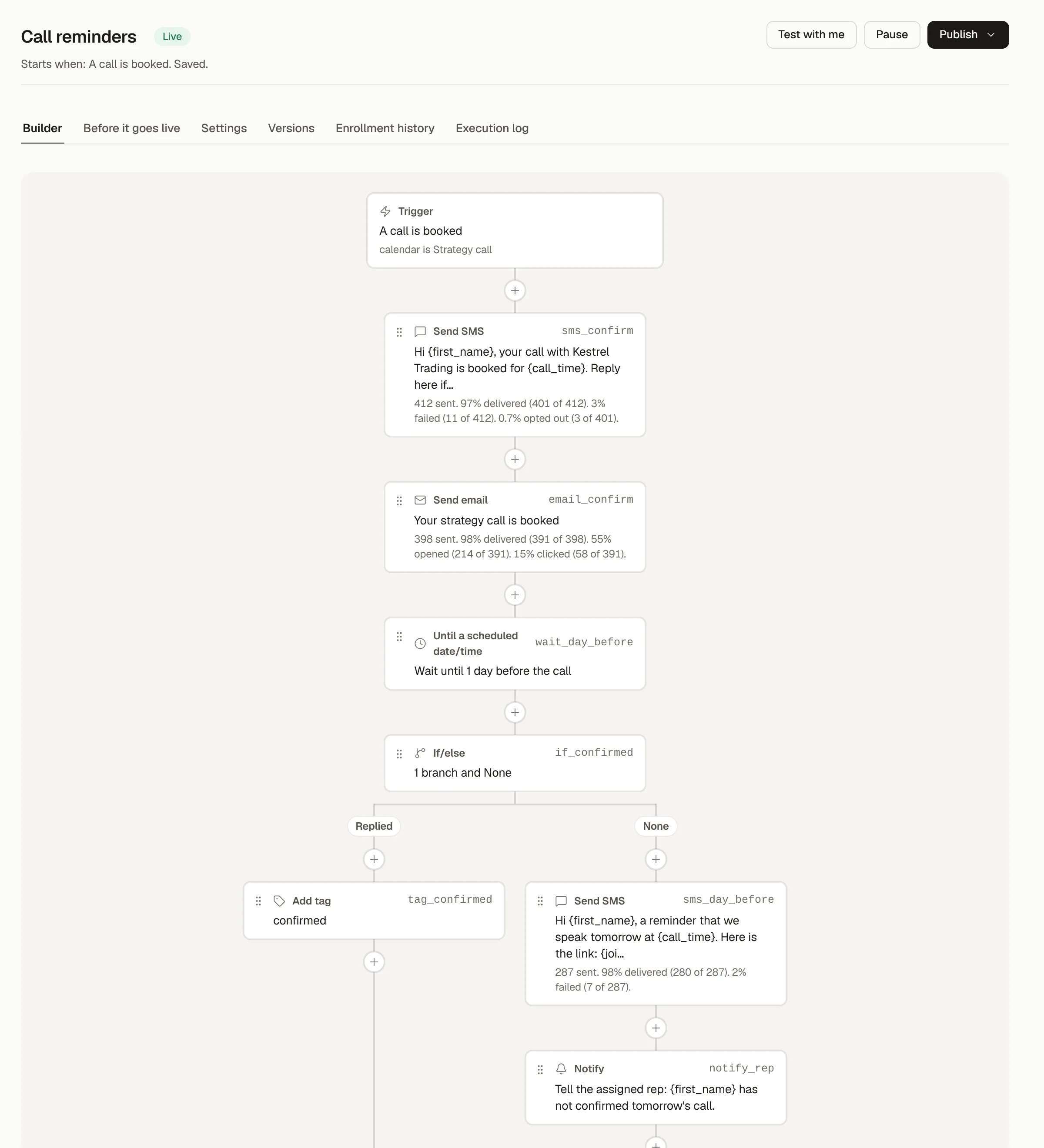
Every step, in the order it runs.
Start from a form, a booking, a tag or a Typeform answer. Wait, branch on what the lead did, split test a message, and stop when they reach the goal. Every published version is kept.
- Triggers, waits, if and else, splits and goals
- Email, SMS and WhatsApp steps, with attachments
- Version history, and a stop on reply for sales follow-up
Conversations
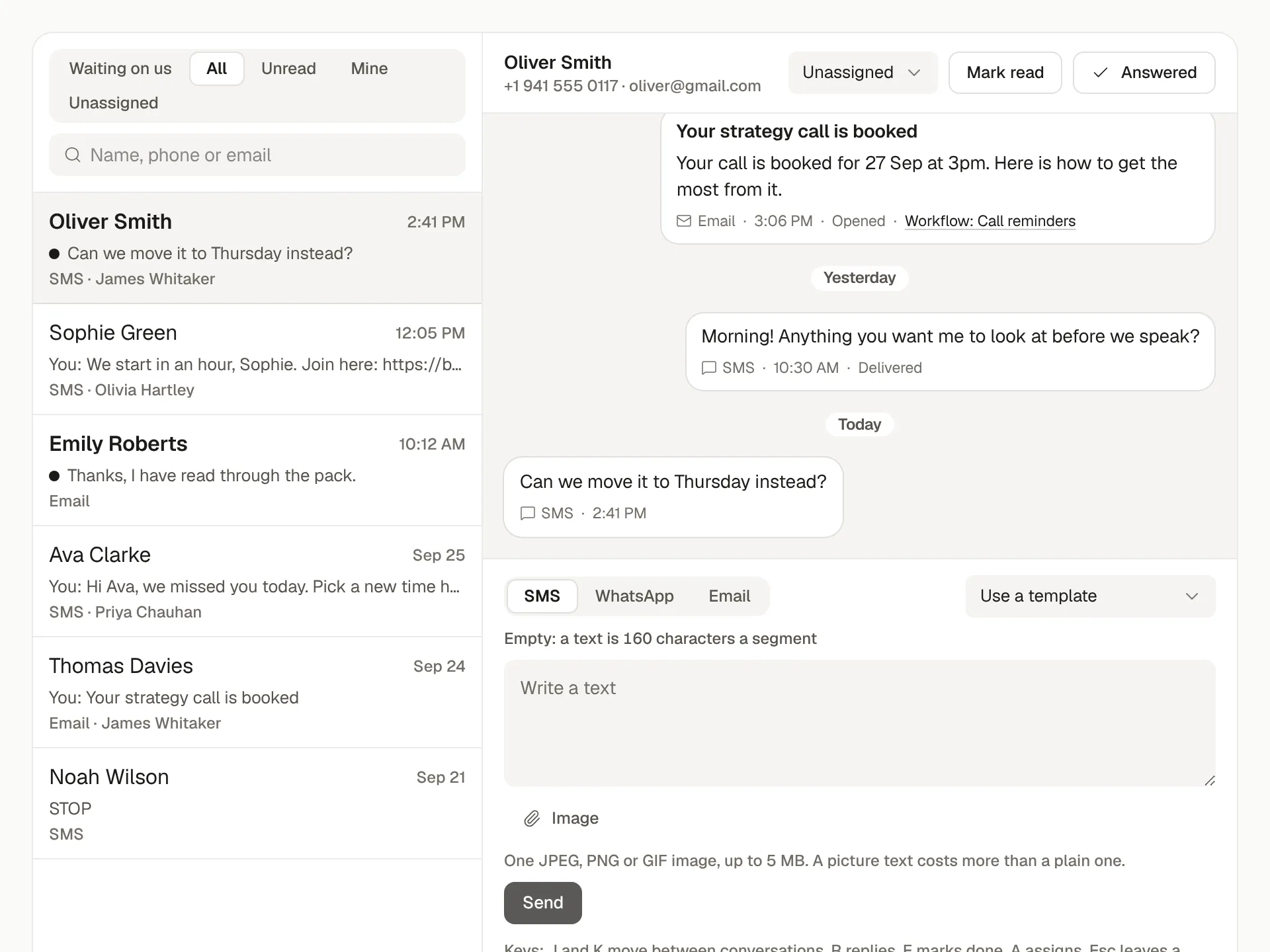
Every reply in one inbox.
Texts, emails and WhatsApp messages from every lead, threaded by person and answered from the same screen your setters already work in.
- One thread per lead, across every channel
- Sent from your own numbers and domains, with each sender's name
- STOP always ends texting, and the lead is never messaged again
Deliverability
Messages that land.
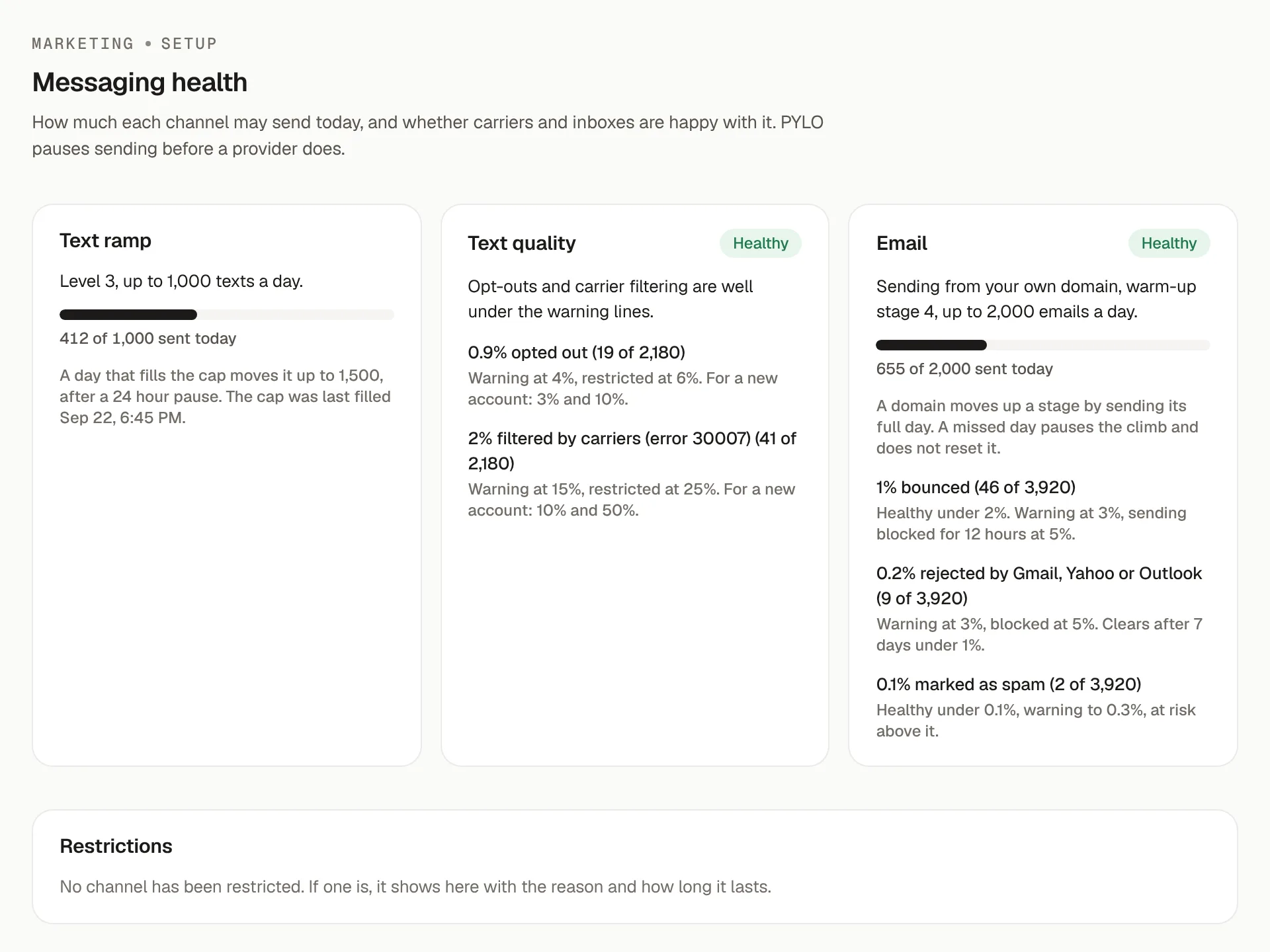
Sending is warmed up, capped per day and watched. Health shows bounces, complaints and opt-outs per sender before they cost you a domain, and analytics shows what each message earned.
- A sending ramp and daily caps per sender
- Bounce, complaint and opt-out rates per domain and number
- Sent only to leads who opted in
Already set up elsewhere?
Running GoHighLevel already?
Keep it. PYLO reads your GoHighLevel and Close activity into the same dashboard, and you can move workflows across one at a time.
Set your follow-up running.
Start from a ready-made workflow for booked call reminders or no-shows, then make it yours.
Setting it up yourself? Read the docs