Booking
Every call booked, with the right closer.
Booking pages built for sales teams. Round robin picks the closer, the calendars stay in sync, and every booking lands on the lead it belongs to.
A lead picks a slot, round robin passes James, and the call lands with Olivia.
The calendar
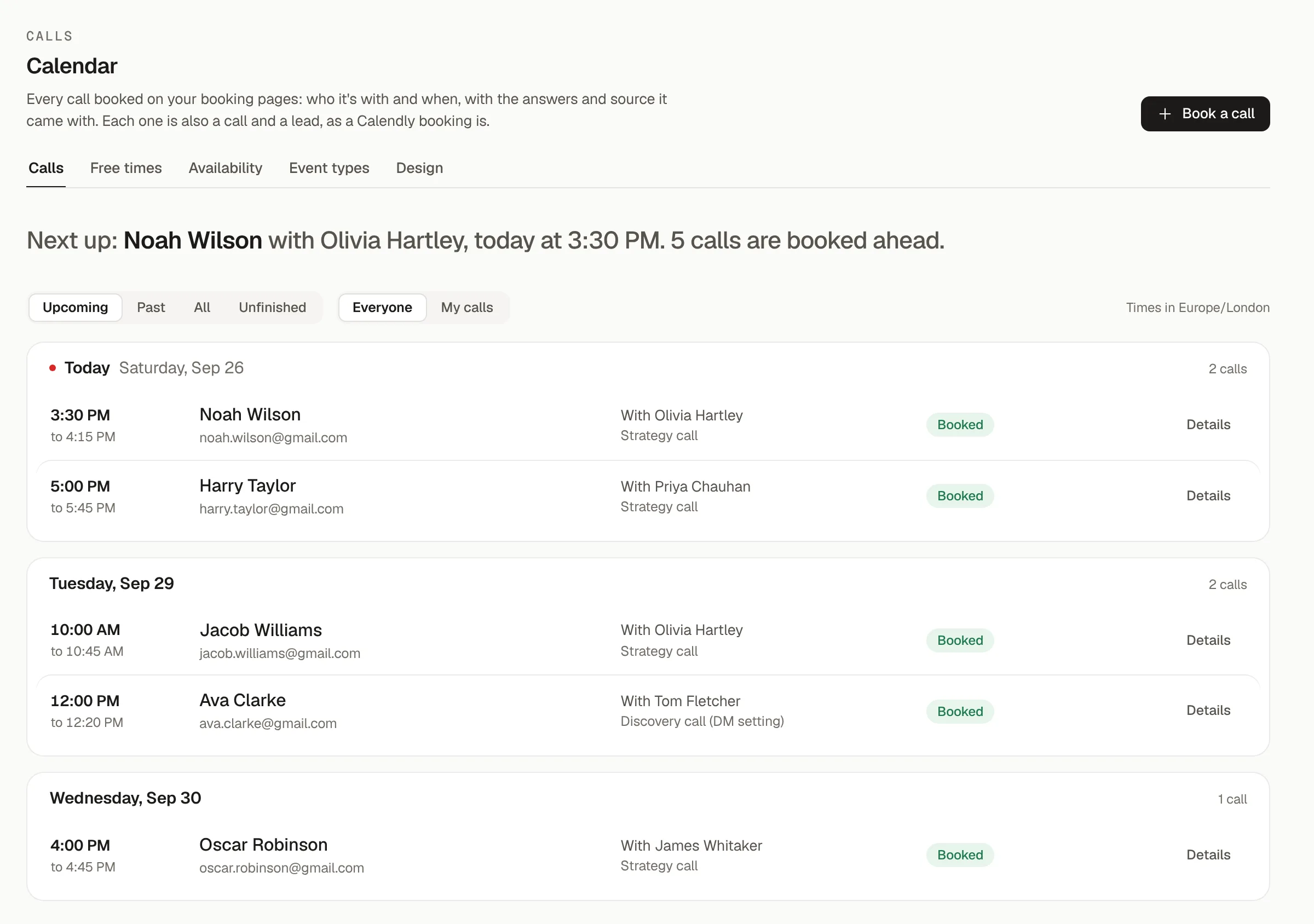
One calendar for the whole team.
Every call booked on your pages, who it is with, the answers the lead gave and where they came from. Book a lead yourself or send them a link for one closer or several.
- Book for a lead, or copy a link for any mix of closers
- Saved links for qualified and unqualified leads
- Upcoming, past and unfinished calls, in each viewer's time zone
Event types
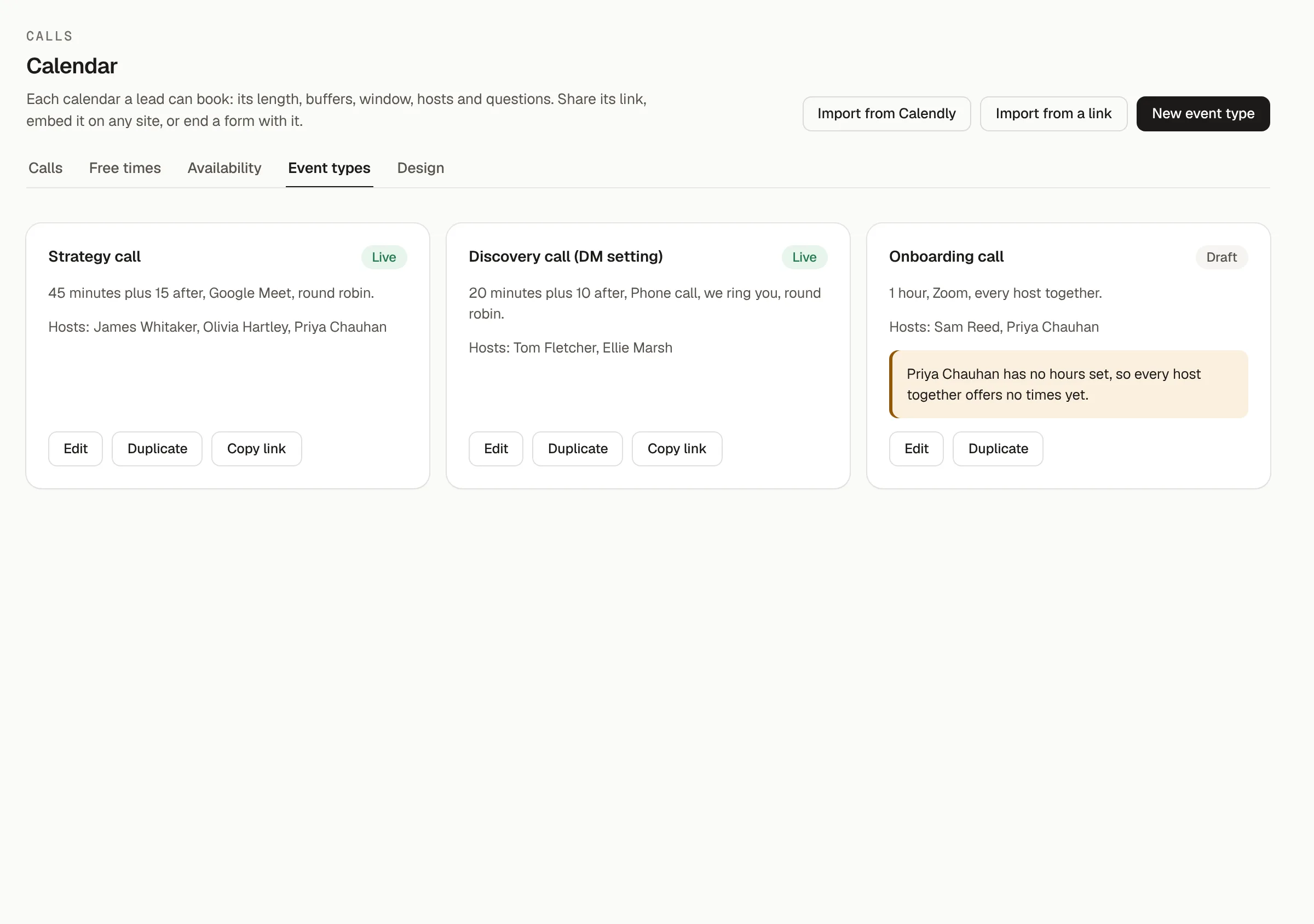
A booking page for every call you take.
Strategy calls, setting calls and onboarding calls, each with its own length, location, hosts and questions. Duplicate one to start the next, and embed any of them on your own site.
- Round robin across hosts, or collective calls that book everyone together
- Buffers before and after, minimum notice and start times
- Google Meet, Zoom or phone, with the questions you ask before the call
Availability
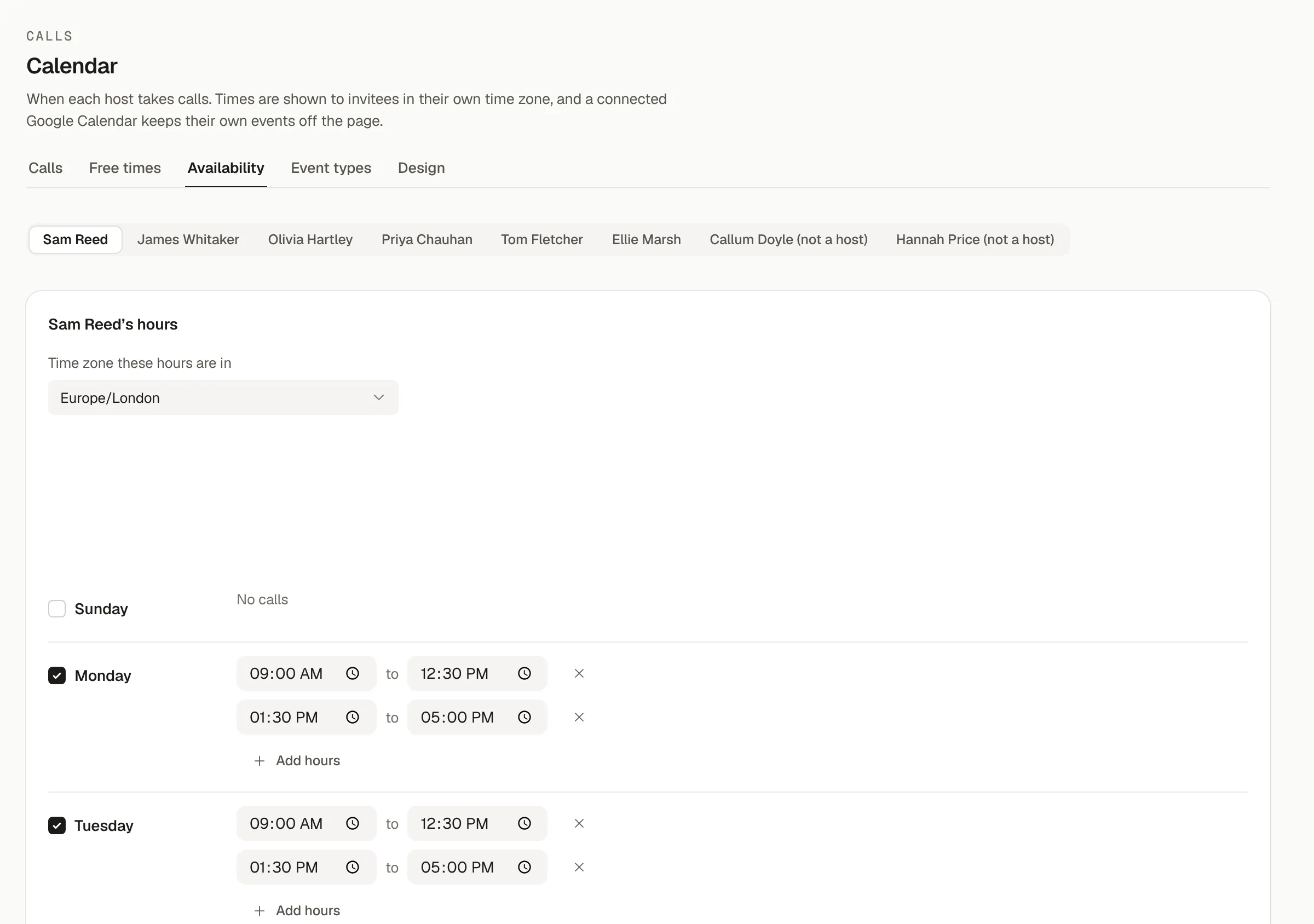
Real hours, from real calendars.
Each host sets their own hours in their own time zone. Google Calendar syncs both ways, and hosts on Apple Calendar or Outlook connect by pasting a share link, so a busy slot is never offered.
- Hours per host, per day, with breaks
- Busy times read from Google, Apple Calendar and Outlook
- Reminders run from your Messaging workflows
Already set up elsewhere?
Keep Calendly if you love it.
PYLO reads Calendly bookings into the same dashboard, and imports your Calendly history when you switch, so no show rate starts from zero.
Book your next call in PYLO.
Make a booking page in a minute, or bring your Calendly history with you.
Setting it up yourself? Read the docs