Landing pages
Pages that are part of the funnel.
Write a registration, application or opt-in page with AI from your offer, publish it on your own domain, and see every visitor follow through to the call.
The page builds section by section, then the split test names its winner.
The builder
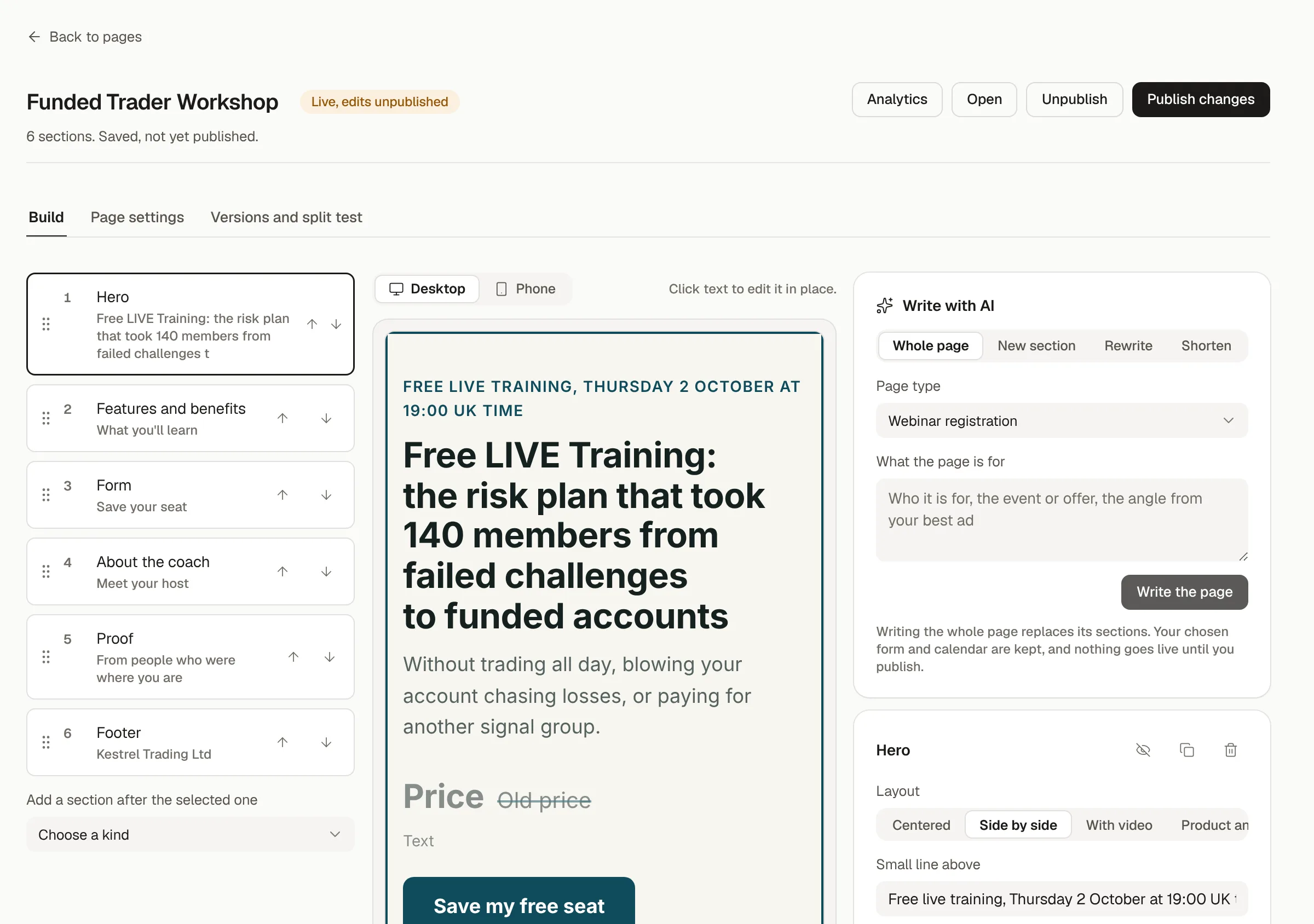
Written with AI, edited by you.
Tell PYLO what the page is for and who it is for, and it writes the whole page in your brand. Then edit any section in place, rewrite one with AI, or add the form and calendar it should carry.
- Templates for webinar registration, applications, opt-ins, booking, confirmation and replays
- Write the whole page, one section, or a shorter version with AI
- Your brand kit on every page, desktop and phone
Tracking
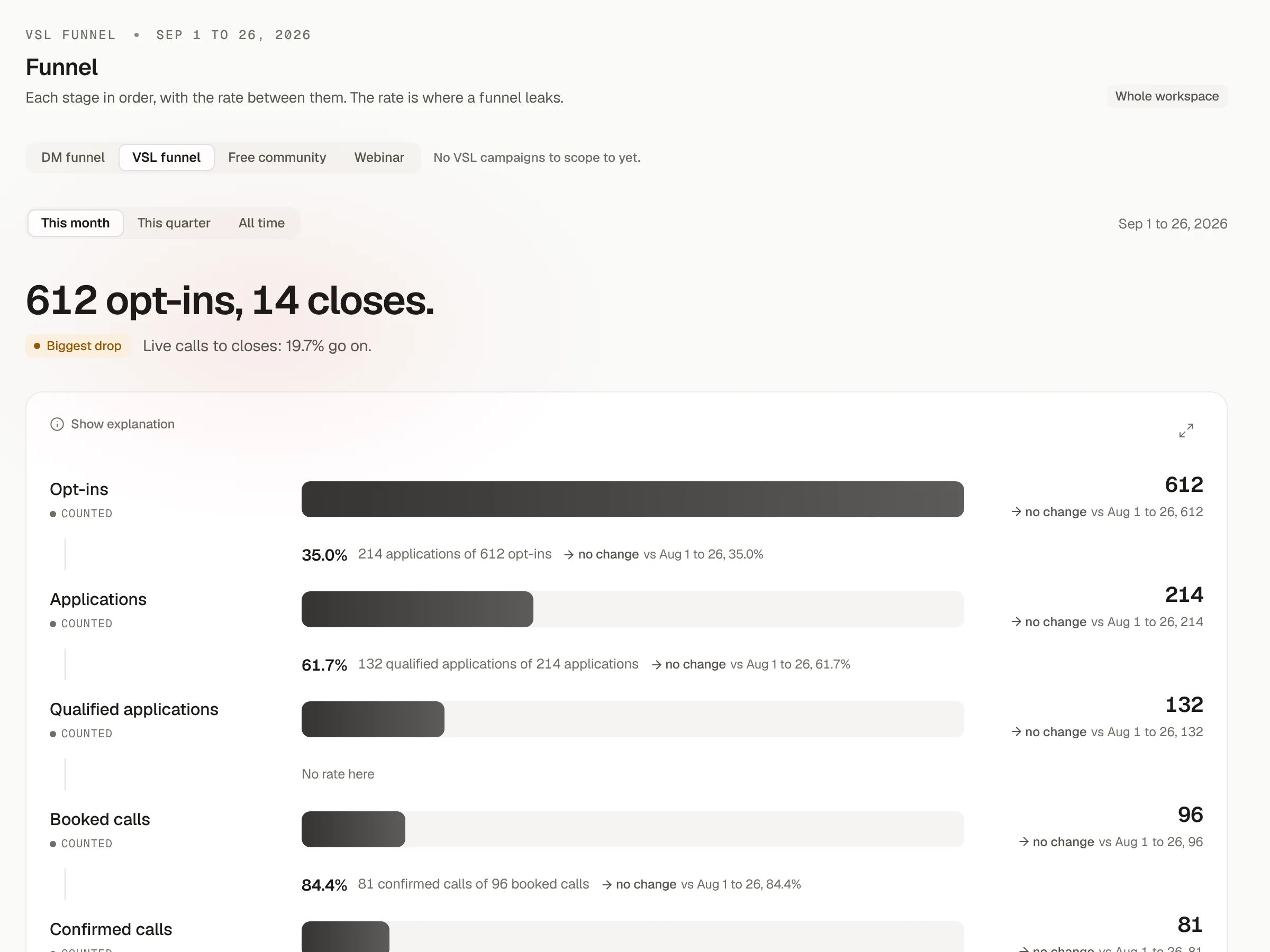
Every visitor, followed through.
Each page carries PYLO's tracking, so the funnel view shows visitors, opt-ins, applications, bookings and shows by source, campaign and ad, with cost per opt-in beside them.
- Split tests with versions you can roll back
- Meta pixel and the Conversions API
- Your own domain, or a free PYLO address
Already set up elsewhere?
Built your pages somewhere else?
Keep them. Add PYLO's tracking line to any page, on Webflow, WordPress, ClickFunnels or GoHighLevel, and the same funnel view fills in.
Publish your next page in PYLO.
Pick a template, tell it about the offer, and it is live on your domain in minutes.
Setting it up yourself? Read the docs